Requirements
- Passive Agent (10050/TCP): The default port the Zabbix Agent listens on. The Zabbix server or proxy connects to this port to request data.
- Active Agent (10051/TCP): The agent initiates a connection outbound to the Zabbix Server/Proxy (10051) to pull its configuration and send data.
Adding agents to zabbix-agent
https://www.zabbix.com/download
# Amazon Linux 2023
rpm -Uvh https://repo.zabbix.com/zabbix/7.4/release/amazonlinux/2023/noarch/zabbix-release-latest-7.4.amzn2023.noarch.rpm
# dnf clean all
Authorize zabbix-server to connect on sudo vi /etc/zabbix/zabbix_agentd.conf
Server=172.31.18.60
Test zabbix-agent locally
See data collected
zabbix_agentd -p | lessTest a filter
zabbix_agentd -t net.if.in['eth0']
Add zabbix-agent to zabbix web
Data collection » Hosts » Create host
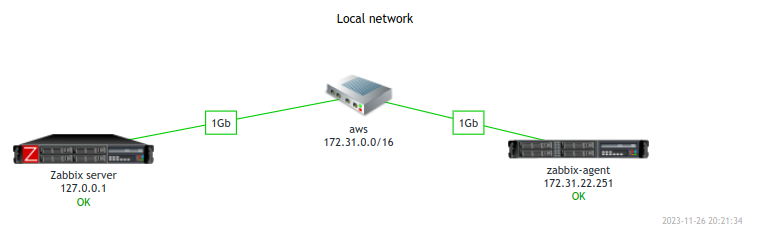
Test bandwith with
sudo apt install iperf
# on server
iperf -s
# on client
iperf -c 192.168.56.101
------------------------------------------------------------
Client connecting to 172.31.18.60, TCP port 5001
TCP window size:  325 KByte (default)
------------------------------------------------------------
[  1] local 172.31.22.251 port 41260 connected with 172.31.18.60 port 5001
[ ID] Interval       Transfer     Bandwidth
[  1] 0.0000-10.0467 sec  1.20 GBytes  1.02 Gbits/sec
Stress connection for 3 minutes and se graphics
iperf -c <host> -t 300
Tasks:
- Monitoring » Hosts
- Latest data
- Problems
- Graphs
- Dashboards
- Add host to Maps » Edit map
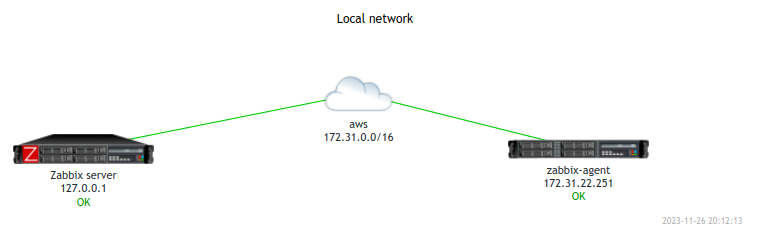
Solve net speed not working

Exercise: mysql monitoring
https://www.zabbix.com/integrations/mysql
Requirements for template operation:
- Install Zabbix agent and MySQL client.
- Copy template_db_mysql.conf into folder with Zabbix agent configuration (/etc/zabbix/zabbix_agentd.d/ by default). Don’t forget to restart zabbix-agent.
- Create MySQL user for monitoring. For example:
CREATE USER ‘zbx_monitor’@’%’ IDENTIFIED BY ‘72edab6b57f984411fb75901a1ac9e0a’;
GRANT REPLICATION CLIENT,PROCESS,SHOW DATABASES,SHOW VIEW ON . TO ‘zbx_monitor’@’%‘;
For more information read the MySQL documentation https://dev.mysql.com/doc/refman/8.0/en/grant.html , please. - Create .my.cnf in home directory of Zabbix agent for Linux (/var/lib/zabbix by default) or
.my.cnfin c:\ for Windows. For example:
[client]
user='zbx_monitor'
password='72edab6b57f984411fb75901a1ac9e0a'
Testing moodle.cfreire.pt server
- Add new HostGroups
- Add moodle server
- Add ICMP template
- Add NGINX HTTP template
Web monitoring
https://www.zabbix.com/documentation/current/en/manual/web_monitoring
Monitoring other hosts
disable ping
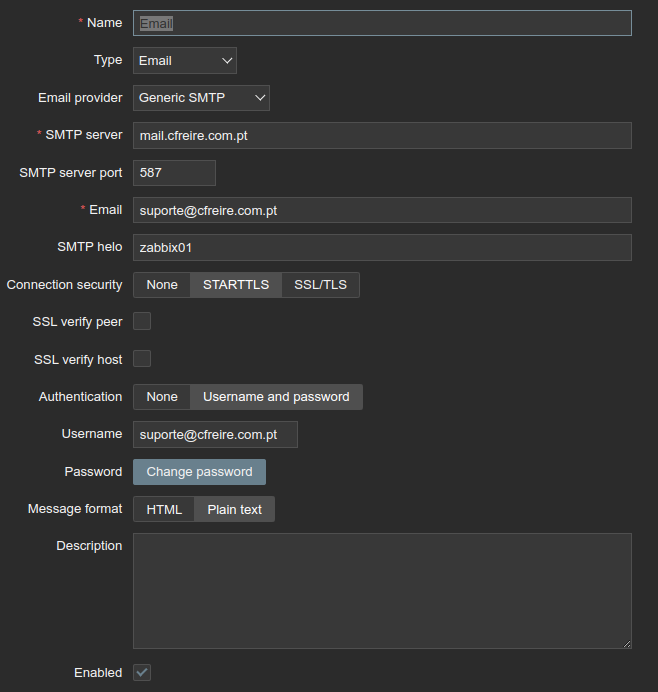
echo "1" > /proc/sys/net/ipv4/icmp_echo_ignore_allAdding email
- Add email settings to “Alerts » Media Types”
- Activate Report problems to Zabbix administrators
- Add email to user Admin
Services
- Add a service
- Add SLA
Example: Iot monitoring
- Create a Template group “rumos/iot”
- Create a Template “Mosquitto”
- Create a item “mosquito broker status”
- Create a trigger that trigger if broker is down
- Create a graphic
- Create a host and attach template