::: title
Spark Introduction
Using Spark with Python ::: César Freire::: image
:::
What is Spark?
- Open-source distributed computing engine (Apache project, started 2009 at UC Berkeley AMPLab)
- Fast, in-memory processing of large-scale data (up to Petabytes)
- Unified platform: batch, streaming, SQL, machine learning, graph
- Runs on a cluster — scales from a laptop to thousands of nodes
- Language-agnostic: Scala, Java, Python, R, SQL
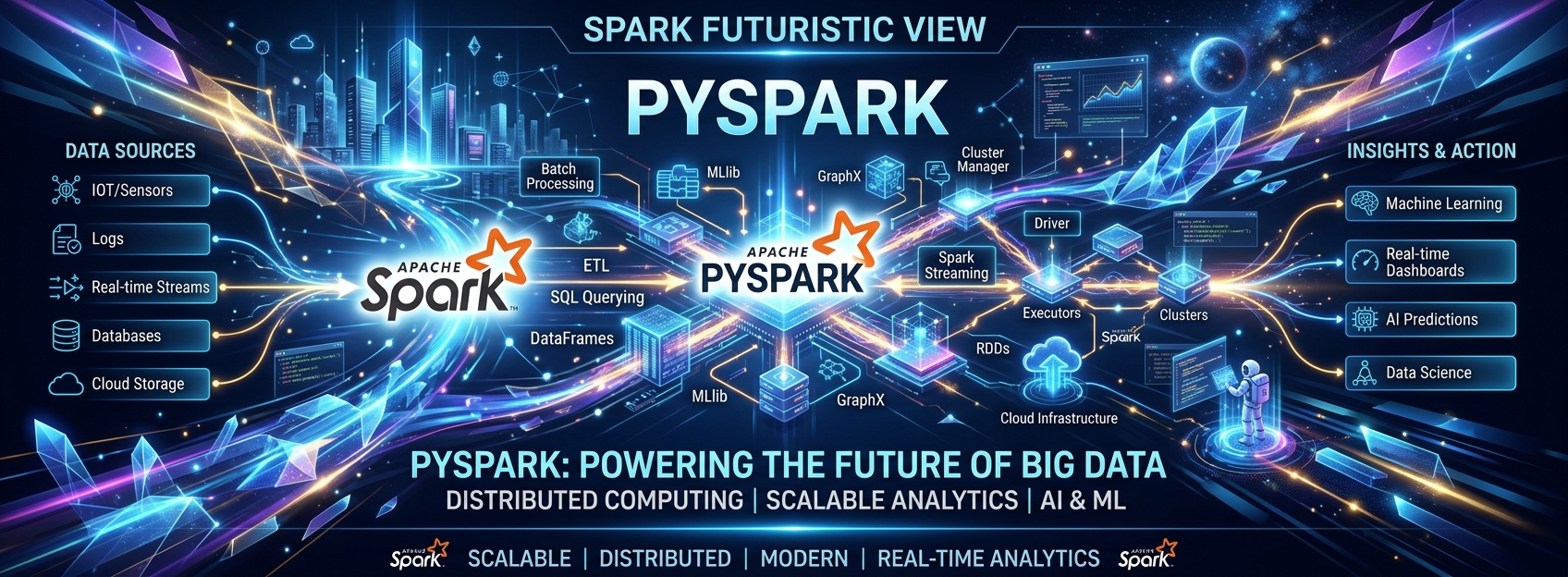
Spark ecosystem
—
Spark in the Python context
- PySpark is the official Python API for Apache Spark
- Lets you write distributed data code with plain Python
- Combines Python simplicity with Spark’s distributed power
- Written in Py4J bridge — Python calls the Spark JVM runtime
- The go-to tool for Big Data with Python (alongside pandas/Polars for single-machine data)
—
Why Spark? (vs. classic Python)
- Single-machine Python (pandas) is limited by RAM and one CPU
- Spark distributes data and computation across a cluster
- In-memory processing → up to 100x faster than MapReduce (disk-based)
- Handles datasets that don’t fit in memory by spilling to disk
- Fault-tolerant: automatically recovers lost work
Bigdata
- Volume — massive amounts of data (TB to PB), beyond single-machine capacity
- Velocity — data generated and processed at high speed, often in real time
- Variety — diverse formats: structured tables, text, images, logs, streams
Spark architecture
flowchart LR
    A[Driver\nSparkSession] --> B[Cluster Manager]
    B --> C[Executor 1]
    B --> D[Executor 2]
    B --> E[Executor N]
- Driver — runs the main program, builds the execution plan
- Cluster manager — allocates resources (Standalone, YARN, Kubernetes)
- Executors — run tasks in parallel on worker nodes
Spark core components
- Spark Core — the engine: task scheduling, memory management
- Spark SQL — structured data, DataFrames, SQL queries
- Spark Streaming — real-time data processing (Structured Streaming)
- MLlib — distributed machine learning algorithms
- GraphX — graph computation
PySpark in the Python ecosystem
- pandas / Polars → single machine, interactive analysis
- PySpark → distributed, production-scale Big Data
- pandas API on Spark — use the pandas API at cluster scale
- Works with Jupyter notebooks for exploration
- Runs locally via
pip install pyspark— same code scales to a cluster
Hello PySpark
from pyspark.sql import SparkSession

spark = SparkSession.builder \
    .appName("RUMOS Intro") \
    .getOrCreate()

df = spark.read.csv("data.csv", header=True,
	                inferSchema=True)

df.groupBy("country").count().show()
SparkSession— the entry point to every Spark application- Lazy evaluation: transformations are computed only on
.show()/.collect()
Key concepts: RDDs & DataFrames
- RDD (Resilient Distributed Dataset) — immutable, distributed collection, the low-level core
- DataFrame — data organized in named columns, like a distributed pandas table
- Transformations —
filter,select,groupBy(lazy, build a plan) - Actions —
show,count,collect(trigger execution)
CSV x Parquet x Delta Lake
- CSV — universal text format, human-readable, but no schema, slow to parse and large on disk
- Parquet — columnar, compressed binary format with schema; fast analytics and efficient storage
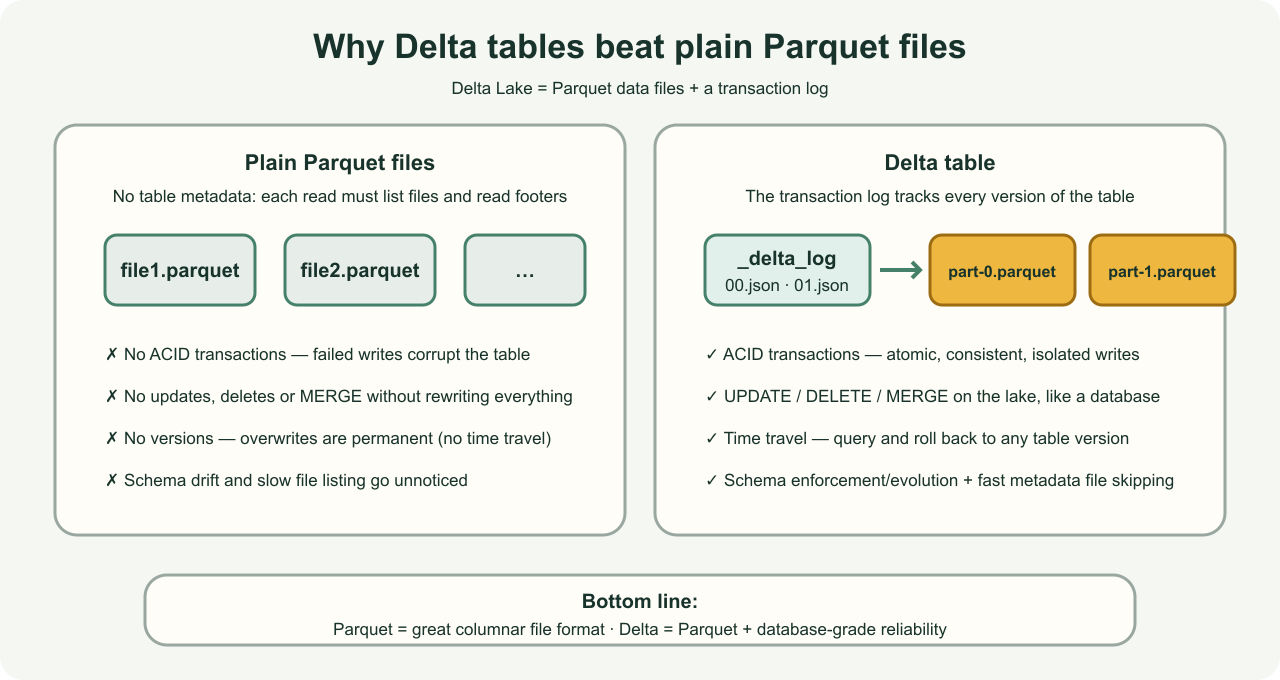
- Delta — Parquet + a transaction log; adds ACID transactions, time travel and upserts for Lakehouse
—
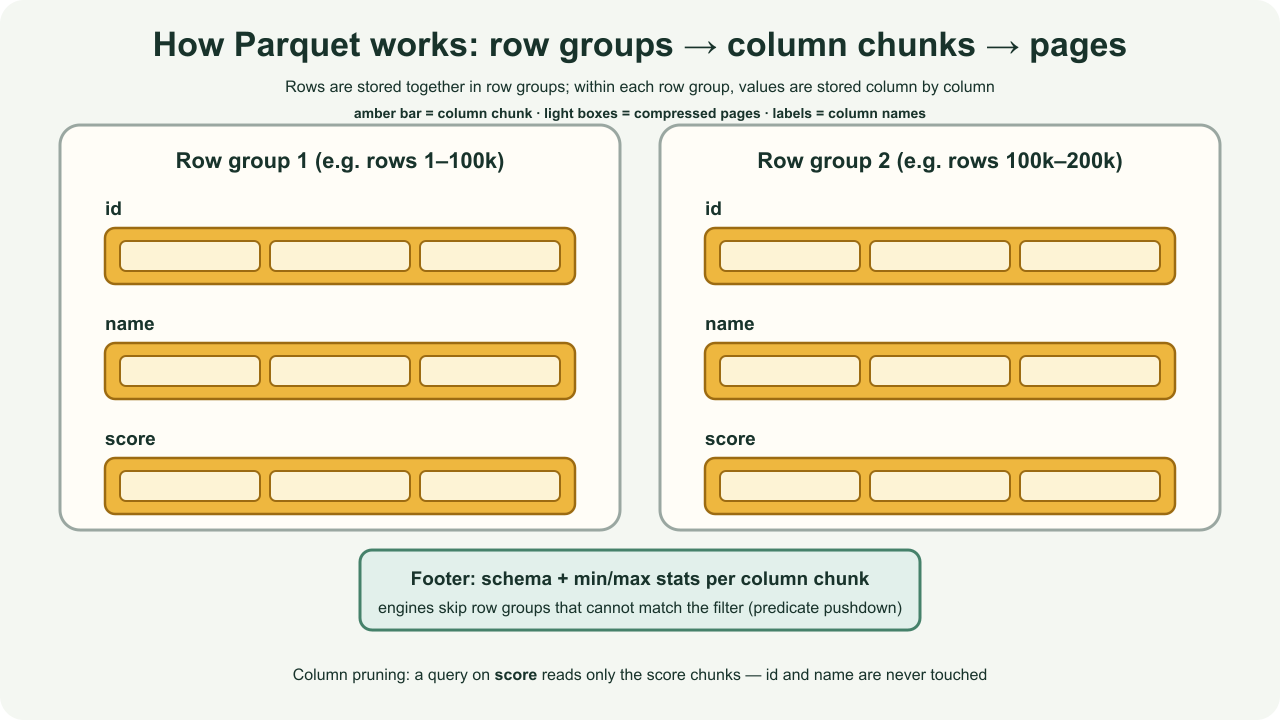
Parquet advantages
- Columnar storage — read only the columns you need (column pruning)
- High compression — column data compresses better; smaller files, lower storage cost
- Schema embedded — self-describing files, no type guessing on read
- Predicate pushdown — skips data blocks that don’t match filters
- Fast analytics — efficient for aggregations and scans over subsets of columns
- Splittable — can be read in parallel by multiple executors
- Ecosystem standard — supported by Spark, pandas, DuckDB, Hive, AWS/GCP/Azure
—
Parquet format
—
Delta Lake tables
Data Partitioning (1/2)
—
Data Partitioning (2/2)
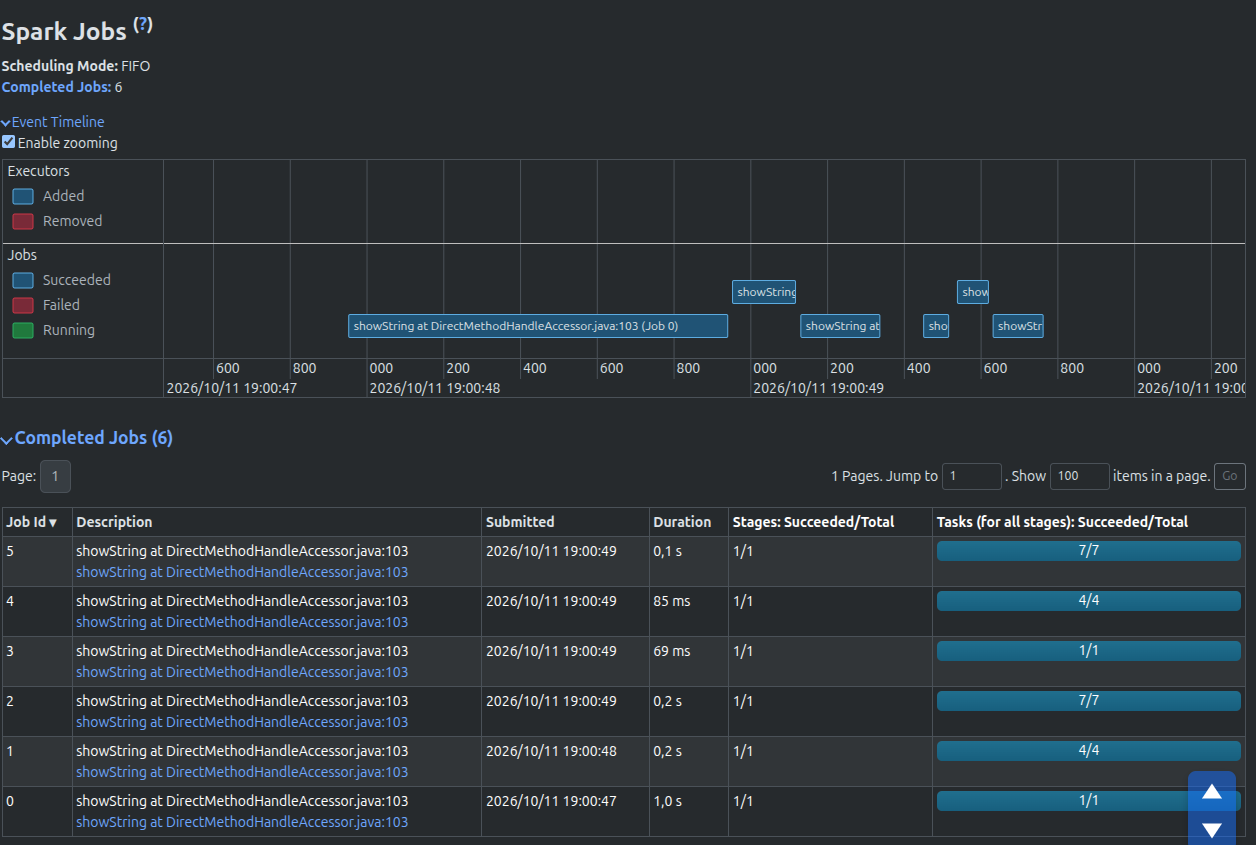
- An RDD is split into partitions — the smallest chunks of data, distributed across the cluster
- One task per partition — the Spark UI shows it in the task counts (
7/7,4/4): more partitions = more parallelism - Partitions are processed in parallel by executors; each works independently on its own chunk
- Shuffles re-partition data — operations like
groupBymove data between partitions, which is why they’re expensive - Tune the number of partitions —
repartition(),coalesce()andspark.sql.shuffle.partitionsbalance parallelism vs. task overhead