Table of Contents
- What is minikube
- K8s cluster prep
- Create a local kubernetes cluster
- First steps
- Services
- Exercise: webcounter/redis
- Controlling Resources
- Namespaces
- Resource quota
- Limited Range
- Kubernetes probes
What is minikube
https://minikube.sigs.k8s.io/docs/
minikube quickly sets up a local Kubernetes cluster on macOS, Linux, and Windows.
Installing minikube
What you’ll need:
- 2 CPUs or more
- 2GB of free memory
- 20GB of free disk space
- Internet connection
- Container or virtual machine manager, such as: Docker, QEMU, Hyperkit, Hyper-V, KVM, Parallels, Podman, VirtualBox, or VMware Fusion/Workstation
K8s cluster prep
Login into Linux console. Verify if at least you have 20GB/2CPU/2GB disk free
df -h
top
Delete all instances of minikube if needed to start from scratch
minikube delete --allCreate a local kubernetes cluster
- 1 control-plane
- 2 workers
minikube start --nodes=3Verify nodes are in Ready state
$ kubectl get nodes
NAME           STATUS   ROLES           AGE   VERSION
minikube       Ready    control-plane   53s   v1.35.1
minikube-m02   Ready    <none>          40s   v1.35.1
minikube-m03   Ready    <none>          28s   v1.35.1
Show minikube cluster
$ minikube node list
minikube	    192.168.49.2
minikube-m02	192.168.49.3
minikube-m03	192.168.49.4
Activate metrics on minikube to see cpu and memory usage
# list all addons
minikube addons list

# monitor cpu and memory
minikube addons enable metrics-server

# activate dashboard
minikube addons enable dashboard
Wait for monitor to be active
$ kubectl top node

NAME           CPU(cores)   CPU(%)   MEMORY(bytes)   MEMORY(%)
minikube       221m         1%       577Mi           1%
minikube-m02   40m          0%       173Mi           0%
minikube-m03   80m          0%       205Mi           0%
Activate dashboard
minikube dashboard
 Enabling dashboard ...
    ▪ Using image docker.io/kubernetesui/dashboard:v2.7.0
    ▪ Using image docker.io/kubernetesui/metrics-scraper:v1.0.8
💡  Some dashboard features require the metrics-server addon. To enable all features please run:

	`minikube addons enable metrics-server`

🤔  Verifying dashboard health ...
🚀  Launching proxy ...
🤔  Verifying proxy health ...
🎉  Opening http://127.0.0.1:33403/api/v1/namespaces/kubernetes-dashboard/services/http:kubernetes-dashboard:/proxy/ in your default browser...
Opening in existing browser session.
First steps
Create a pod in imperative mode
# start a pod
kubectl run --image docker.io/nginxdemos/hello hello

$ kubectl get pods

NAME    READY   STATUS    RESTARTS   AGE
hello   1/1     Running   0          33s

kubectl describe pod/hello
kubectl delete pod/hello
Create a deployment from dry-run (declarative mode)
kubectl create deploy hello \
	--image=docker.io/nginxdemos/hello:plain-text \
	--dry-run=client \
	-o yaml > hello-deploy.yaml
hello-deploy.yaml
apiVersion: apps/v1
kind: Deployment
metadata:
  labels:
    app: hello
  name: hello
spec:
  replicas: 3  # <--- change number of replicas
  selector:
    matchLabels:
      app: hello
  strategy: {}
  template:
    metadata:
      labels:
        app: hello
    spec:
      containers:
      - image: docker.io/nginxdemos/hello:plain-text
        name: hello
        resources: {}
status: {}
Apply changes
# Test if file is ok
kubectl apply -f hello-deploy.yaml --validate

# Prefer apply to create. More safe
kubectl apply -f hello-deploy.yaml
$ kubectl get all
NAME READY STATUS RESTARTS AGE
pod/hello-69858c9fc7-42ndd 1/1 Running 0 6s
pod/hello-69858c9fc7-ggf4t 1/1 Running 0 6s
pod/hello-69858c9fc7-rmntq 1/1 Running 0 6s
NAME TYPE CLUSTER-IP EXTERNAL-IP PORT(S) AGE
service/kubernetes ClusterIP 10.96.0.1 <none> 443/TCP 86m
NAME READY UP-TO-DATE AVAILABLE AGE
deployment.apps/hello 3/3 3 3 6s
NAME DESIRED CURRENT READY AGE
replicaset.apps/hello-69858c9fc7 3 3 3 6s
Making changes
hello-deploy.yaml
apiVersion: apps/v1
kind: Deployment
metadata:
  labels:
    app: hello
  name: hello
spec:
  replicas: 5  # <--- change number of replicas
  selector:
    matchLabels:
      app: hello
  strategy: {}
  template:
    metadata:
      labels:
        app: hello
    spec:
      containers:
      - image: docker.io/nginxdemos/hello:plain-text
        name: hello
        resources: {}
status: {}
$ kubectl diff -f hello-deploy.yaml

diff -u -N /tmp/LIVE-198922280/apps.v1.Deployment.default.hello /tmp/MERGED-495701592/apps.v1.Deployment.default.hello
--- /tmp/LIVE-198922280/apps.v1.Deployment.default.hello	2026-05-29 17:22:11.204286426 +0100
+++ /tmp/MERGED-495701592/apps.v1.Deployment.default.hello	2026-05-29
(...)
-  generation: 1
+  generation: 2
   labels:
     app: hello
   name: hello
@@ -15,7 +15,7 @@
   uid: 426aae73-a189-4818-b4d3-f8e50283e15a
 spec:
   progressDeadlineSeconds: 600
-  replicas: 3
+  replicas: 5
   revisionHistoryLimit: 10
   selector:
     matchLabels:


$ kubectl apply -f hello-deploy.yaml
# enter in one pod
$ kubectl exec -it deploy/hello -- sh
$ curl localhost
Server address: ::1:80
Server name: hello-69858c9fc7-ggf4t
Date: 13/May/2026:23:02:58 +0000
URI: /
Request ID: 9fed947ca13567fc5c91e580e9f21c34
$ exit
# delete deployment
kubectl delete -f hello-deploy.yamlGetting help
$ kubectl explain deploy
GROUP:      apps
KIND:       Deployment
VERSION:    v1

DESCRIPTION:
    Deployment enables declarative updates for Pods and ReplicaSets.

FIELDS:
  apiVersion	<string>
    APIVersion defines the versioned schema of this representation of an object.
    Servers should convert recognized schemas to the latest internal value, and
    may reject unrecognized values. More info:
    https://git.k8s.io/community/contributors/devel/sig-architecture/api-conventions.md#resources

  kind	<string>
    Kind is a string value representing the REST resource this object
    represents. Servers may infer this from the endpoint the client submits
    requests to. Cannot be updated. In CamelCase. More info:
    https://git.k8s.io/community/contributors/devel/sig-architecture/api-conventions.md#types-kinds

  metadata	<ObjectMeta>
    Standard object's metadata. More info:
    https://git.k8s.io/community/contributors/devel/sig-architecture/api-conventions.md#metadata

  spec	<DeploymentSpec>
    Specification of the desired behavior of the Deployment.

  status	<DeploymentStatus>
    Most recently observed status of the Deployment.
Working with yaml files
Info
kubectl edituses bash variableEDITORselect app. Can be added to.bashrc
Example:export EDITOR='nano'
$ kubectl apply -f hello-deploy.yaml
$ kubectl edit deploy/hello

	---
	apiVersion: apps/v1
	kind: Deployment
	metadata:
	  labels:
	    app: hello
	  name: hello
	spec:
	  replicas: 6  # change to 6
	  selector:
	    matchLabels:
	      app: hello
	      (...)
# save and quit

$ kubectl get pods
NAME                     READY   STATUS    RESTARTS   AGE
hello-69858c9fc7-42ndd   1/1     Running   0          6m39s
hello-69858c9fc7-ggf4t   1/1     Running   0          6m39s
hello-69858c9fc7-m5rhv   1/1     Running   0          8s
hello-69858c9fc7-qssvg   1/1     Running   0          8s
hello-69858c9fc7-rmntq   1/1     Running   0          6m39s
hello-69858c9fc7-vrggn   1/1     Running   0          8s
Services
https://kubernetes.io/docs/concepts/services-networking/service/
ClusterIP
A ClusterIP service is the default Kubernetes service. It gives you a service inside your cluster that other apps inside your cluster can access. There is no external access.
Start deployment-nginx.yaml
kubectl apply -f hello-deploy.yaml
kubectl get all
Expose port 80
kubectl expose deploy/hello \
  --port=80 \
  --target-port=80 \
  --type=ClusterIP
Verify port exposed on a ClusterIP Service
$ kubectl get svc

NAME         TYPE        CLUSTER-IP      EXTERNAL-IP   PORT(S)   AGE
kubernetes   ClusterIP   10.96.0.1       <none>        443/TCP   13m
hello        ClusterIP   10.104.95.192   <none>        80/TCP    9s
Add Service to the deployment for later deployment if necessary
echo "---" >> hello-deploy.yaml
kubectl expose deployment hello \
  --port=80 \
  --name=hello-svc \
  --target-port=80 \
  --type=ClusterIP \
  --dry-run=client \
  -o yaml >> hello-deploy.yaml
deployment-nginx.yaml
---
apiVersion: apps/v1
kind: Deployment
metadata:
  labels:
    app: hello
  name: hello
spec:
  replicas: 3
  selector:
    matchLabels:
      app: hello
  strategy: {}
  template:
    metadata:
      labels:
        app: hello
    spec:
      containers:
      - image: docker.io/nginxdemos/hello:plain-text
        name: hello
        resources: {}
status: {}

---
apiVersion: v1
kind: Service
metadata:
  labels:
    app: hello
  name: hello-svc
spec:
  ports:
  - port: 80
    protocol: TCP
    targetPort: 80
  selector:
    app: hello
  type: ClusterIP
status:
  loadBalancer: {}
Verify endpoints of service
$ kubectl describe svc/hello
Name:                     hello-svc
Namespace:                default
Labels:                   app=hello
Annotations:              <none>
Selector:                 app=hello
Type:                     ClusterIP
IP Family Policy:         SingleStack
IP Families:              IPv4
IP:                       10.107.6.207
IPs:                      10.107.6.207
Port:                     <unset>  80/TCP
TargetPort:               80/TCP
Endpoints:                10.244.1.27:80,10.244.0.22:80,10.244.2.20:80 # <---
Session Affinity:         None
Internal Traffic Policy:  Cluster
Events:                   <none>
Start a pod on alpine
kubectl run -it alpine --image=alpine --restart=Never -- sh# Install curl
apk add curl
# call service first endpoint
$ curl hello-svc
Server address: 10.244.1.27:80
Server name: hello-69858c9fc7-ggf4t
Date: 13/May/2026:23:13:27 +0000
URI: /
Request ID: acad73df72d1d14638675a2a26e80668
$ exitDelete pod / alpine
kubectl delete pod/alpineTemporary port forward
Creating a port forward to access service from outside
kubectl port-forward svc/hello-svc 30080:80Finally create tunnel on vscode for port 30080 and check
NodePort
A NodePort service is the most primitive way to get external traffic directly to your service. NodePort, as the name implies, opens a specific port on all the Nodes (the VMs), and any traffic that is sent to this port is forwarded to the service.
Supports rr (round-robin), lc (least connections), sh (source hash), and more via the scheduler flag.
Default is statistically uniform distribution (effectively round-robin at scale), but it’s random per connection, not strictly sequential.
Example
kubectl create deploy hello --image docker.io/nginxdemos/hello:latest
kubectl expose deploy/hello --type=NodePort --port=80
$ minikube service list
┌─────────────┬────────────────┬──────────────┬───────────────────────────┐
│  NAMESPACE  │      NAME      │ TARGET PORT  │            URL            │
├─────────────┼────────────────┼──────────────┼───────────────────────────┤
│ default     │ hello          │ 80           │ http://192.168.49.2:32675 │
│ default     │ kubernetes     │ No node port │                           │
│ kube-system │ kube-dns       │ No node port │                           │
│ kube-system │ metrics-server │ No node port │                           │
└─────────────┴────────────────┴──────────────┴───────────────────────────┘
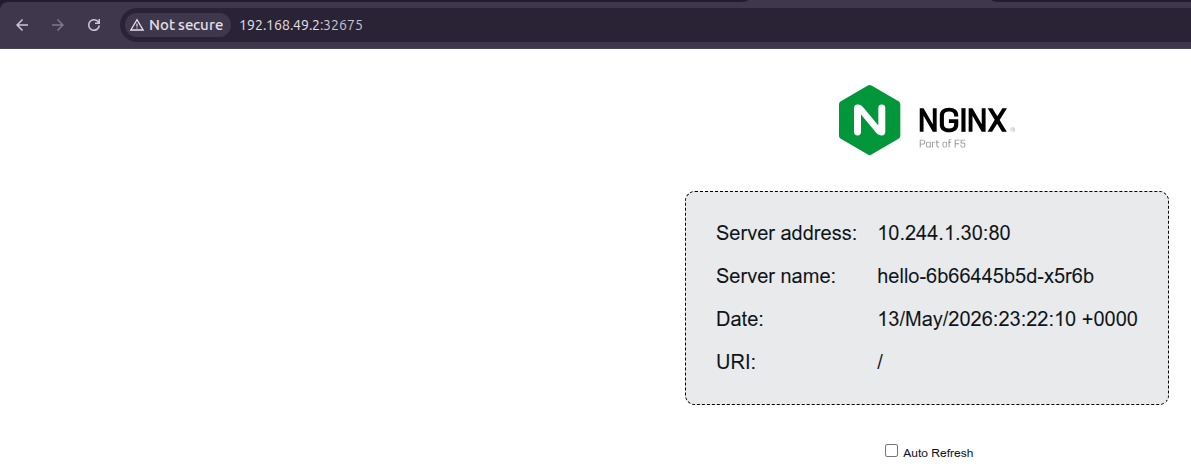
Node Port in declarative mode
---
apiVersion: v1
kind: Service
metadata:
  name: hello
spec:
  selector:
    app: hello
  type: NodePort
  ports:
  - name: http
    port: 80
    targetPort: 80
    nodePort: 30080
    protocol: TCP
LoadBalancer
A LoadBalancer service is the standard way to expose a service to the internet. On GKE, this will spin up a Network Load Balancer that will give you a single IP address that will forward all traffic to your service.
kubectl expose deploy/hello --type=LoadBalancer --port=80
minikube tunnel
Cleanup
List all by tag
kubectl get all -l app=hello
kubectl delete all -l app=hello
Exercise: webcounter/redis
Create a deployment with:
- webcounter deployment based on image
cfreire70/webcounter
- redis backend deployment based on
redis:alpine - webcounter with 3 replicas
- redis service as a ClusterIP on port 6379
- webcounter service as NodePort on port 5000
REDIS_URLenvironment variable must point to redis service
Imperative solution
mkdir webcounter
cd webcounter

# start by webcounter
kubectl create deploy --dry-run=client webcounter \
	--image cfreire70/webcounter --replicas=3 \
	-o yaml > webcounter-deployment.yaml

# add separator
echo "---" >> webcounter-deployment.yaml

# add redis deployment
kubectl create deploy --dry-run=client redis --image redis:alpine \
  --replicas=1 -o yaml >> webcounter-deployment.yaml

# add separator
echo "---" >> webcounter-deployment.yaml

# add webcounter service
kubectl expose deployment webcounter \
  --port=5000 \
  --target-port=5000 \
  --type=NodePort \
  --dry-run=client \
  -o yaml >> webcounter-deployment.yaml

# add separator
echo "---" >> webcounter-deployment.yaml

# add webcounter service
kubectl expose deployment redis \
  --port=6379 \
  --target-port=6379 \
  --type=ClusterIP \
  --dry-run=client \
  -o yaml >> webcounter-deployment.yaml

# apply file
kubectl apply -f webcounter-deployment.yaml

# discover service
minikube service list

# test acess
curl http://192.168.49.2:<port>
Declarative solution
webcounter-deploy.yaml
---
apiVersion: apps/v1
kind: Deployment
metadata:
  labels:
    app: webcounter
  name: webcounter
spec:
  replicas: 3
  selector:
    matchLabels:
      app: webcounter
  strategy: {}
  template:
    metadata:
      labels:
        app: webcounter
    spec:
      containers:
      - image: cfreire70/webcounter
        env:
        - name: REDIS_URL
          value: redis
        name: webcounter
        resources: {}

---
apiVersion: apps/v1
kind: Deployment
metadata:
  labels:
    app: redis
  name: redis
spec:
  replicas: 1
  selector:
    matchLabels:
      app: redis
  strategy: {}
  template:
    metadata:
      labels:
        app: redis
    spec:
      containers:
      - image: redis:alpine
        name: redis
        resources: {}

---
apiVersion: v1
kind: Service
metadata:
  labels:
    app: webcounter
  name: webcounter
  namespace: default
spec:
  ports:
  - port: 5000
    protocol: TCP
    targetPort: 5000
  selector:
    app: webcounter
  type: NodePort

---
apiVersion: v1
kind: Service
metadata:
  labels:
    app: redis
  name: redis-service
  namespace: default
spec:
  ports:
  - port: 6379
    protocol: TCP
    targetPort: 6379
  selector:
    app: redis
  type: ClusterIP
Controlling Resources
https://kubernetes.io/docs/concepts/configuration/manage-resources-containers/
kubectl create deployment hello --image=nginx --replicas=3
kubectl set resources deploy/hello --requests=cpu=1

$ kubectl describe deploy hello

(...)
Pod Template:
  Labels:  app=hello
  Containers:
   hello:
    Image:      nginx
    Port:       <none>
    Host Port:  <none>
    Requests:
      cpu:         1
    Environment:   <none>
    Mounts:        <none>
  Volumes:         <none>
  Node-Selectors:  <none>
  Tolerations:     <none>
(...)

$ kubectl top nodes

NAME           CPU(cores)   CPU(%)   MEMORY(bytes)   MEMORY(%)
minikube       279m         2%       624Mi           1%
minikube-m02   98m          0%       205Mi           0%
minikube-m03   89m          0%       206Mi           0%

$ kubectl describe node minikube-m02
(...)
  Namespace                   Name                      CPU Requests  CPU Limits  Memory Requests  Memory Limits  Age
  ---------                   ----                      ------------  ----------  ---------------  -------------  ---
  default                     hello-565746976f-z5c99    1 (8%)        0 (0%)      0 (0%)           0 (0%)         71s
  kube-system                 kindnet-6vnrb             100m (0%)     100m (0%)   50Mi (0%)        50Mi (0%)      11m
  kube-system                 kube-proxy-cdpl6          0 (0%)        0 (0%)      0 (0%)           0 (0%)         11m
Allocated resources:
  (Total limits may be over 100 percent, i.e., overcommitted.)
  Resource           Requests    Limits
  --------           --------    ------
  cpu                1100m (9%)  100m (0%)
  memory             50Mi (0%)   50Mi (0%)
  ephemeral-storage  0 (0%)      0 (0%)
  hugepages-1Gi      0 (0%)      0 (0%)
  hugepages-2Mi      0 (0%)      0 (0%)

# scale up replicas until get pending
kubectl scale deployment hello --replicas=12

# clean up
kubectl delete deploy/hello
Edit resources in yaml file
# add this lines on resources and apply
        resources:
          limits:
            memory: "256Mi"
            cpu: "200m"
          requests:
            memory: "128Mi"
            cpu: "50m"
kubectl get pod
kubectl exec -ti deploy/nginx -- bash
# apt-get update && apt-get install -y stress
# stress --vm 1 --vm-bytes 128M --cpu 1Namespaces
https://kubernetes.io/docs/concepts/overview/working-with-objects/namespaces/
Kubernetes namespaces partition a single cluster, enabling detailed resource isolation without physical separation. This allows teams to manage networks and compute resources independently for different projects.
Namespaces support quotas and LimitRanges to restrict CPU and memory usage per group, preventing conflict. They allow scoping of Role-based Access Control (RBAC) to ensure security boundaries are enforced locally.
kubectl create ns demo-webapp

$ kubectl get ns

NAME                   STATUS   AGE
default                Active   20m
demo-webapp            Active   5s
kube-node-lease        Active   20m
kube-public            Active   20m
kube-system            Active   20m
kubernetes-dashboard   Active   19m

$ kubectl describe ns demo-webapp

Name:         demo-webapp
Labels:       kubernetes.io/metadata.name=demo-webapp
Annotations:  <none>
Status:       Active

No resource quota.

No LimitRange resource.

# set current ns
kubectl config set-context --current --namespace=demo-webapp

# view current workspace
kubectl config view | grep namespace

# create a deploy
kubectl create deployment hello --image=nginx --replicas=3

# delete namespace will delete all resources in it
kubectl delete ns demo-webapp
Bash script to change prompt and make namespace visible
k8s-namespace-prompt.sh
#!/usr/bin/env bash
# k8s_prompt.sh — Show current Kubernetes namespace in your shell prompt
#
# Usage:
#   source k8s_prompt.sh          # apply to current shell session
#   echo 'source ~/k8s_prompt.sh' >> ~/.bashrc   # make permanent

# Returns the current k8s namespace (falls back to "N/A" if kubectl unavailable)
_k8s_namespace() {
  if command -v kubectl &>/dev/null; then
    local ns
    ns=$(kubectl config view --minify --output 'jsonpath={..namespace}' 2>/dev/null)
    echo "${ns:-default}"
  else
    echo "N/A"
  fi
}

# Build the custom prompt:
#   [k8s:NAMESPACE] user@host:cwd $
_set_k8s_prompt() {
  local CYAN='\[\e[36m\]'
  local YELLOW='\[\e[33m\]'
  local RESET='\[\e[0m\]'

  PS1="${CYAN}[k8s:${YELLOW}\$(_k8s_namespace)${CYAN}]${RESET} \u@\h:\w \$ "
}

_set_k8s_prompt

# Optional helper: quickly switch namespace and see it reflected immediately
kns() {
  if [ -z "$1" ]; then
    echo "Usage: kns <namespace>"
    return 1
  fi
  kubectl config set-context --current --namespace="$1"
}
Resource quota
https://kubernetes.io/docs/concepts/policy/resource-quotas/
# create namespace
kubectl create ns selfservice-quotas

# change context
kubectl config set-context --current --namespace=selfservice-quotas

# Create a deployment with 1 replica and 1 cpu
kubectl create deployment hello --image=nginx
kubectl set resources deploy/hello --requests=cpu=1

# Limit quota to max 1 cpu on requests
kubectl create quota one-cpu --hard=requests.cpu=1

$ kubectl get quota
NAME      REQUEST             LIMIT   AGE
one-cpu   requests.cpu: 1/1           7m47s

kubectl scale deploy hello --replicas=4

kubectl get events --sort-by .metadata.creationTimestamp

kubectl delete ns selfservice-quotas

kubectl config set-context --current --namespace=default
Limited Range
https://kubernetes.io/docs/concepts/policy/limit-range/
compute-resources.yaml
---
apiVersion: v1
kind: ResourceQuota
metadata:
  name: compute-resources
spec:
   hard:
    requests.cpu: "1"
    requests.memory: "1Gi"
    limits.cpu: "2"
    limits.memory: "2Gi"
kubectl create namespace myspace
kubectl create -f compute-resources.yaml --namespace=myspace

kubectl create deployment hello --image=nginx --namespace=myspace

$ kubectl get all -n myspace
NAME                    READY   UP-TO-DATE   AVAILABLE   AGE
deployment.apps/hello   0/1     0            0           36s

NAME                             DESIRED   CURRENT   READY   AGE
replicaset.apps/hello-9ff96cc5   1         0         0       36s

$ kubectl get events --sort-by .metadata.creationTimestamp -n myspace

LAST SEEN   TYPE      REASON              OBJECT                      MESSAGE
71s         Warning   FailedCreate        replicaset/hello-9ff96cc5   Error creating: pods "hello-9ff96cc5-48msv" is forbidden: failed quota: compute-resources: must specify limits.cpu for: nginx; limits.memory for: nginx; requests.cpu for: nginx; requests.memory for: nginx
(...)
myspace-default-limits.yaml
---
apiVersion: v1
kind: LimitRange
metadata:
  name: limited-resources
spec:
  limits:    # if users forgets to impose limits
  - default:
      cpu: "1.0"
      memory: 100Mi
    defaultRequest:
      cpu: "0.5"
      memory: 80Mi
    type: Container
kubectl apply -f myspace-default-limits.yaml -n myspace

$ kubectl describe limitrange  -n myspace

Name:       limited-resources
Namespace:  myspace
Type        Resource  Min  Max  Default Request  Default Limit  Max Limit/Request Ratio
----        --------  ---  ---  ---------------  -------------  -----------------------
Container   cpu       -    -    500m             1              -
Container   memory    -    -    80Mi             100Mi          -

# delete deploy
kubectl delete deployment hello  -n myspace

# create deploy with default values
kubectl create deployment hello --image=nginx --namespace=myspace

# verify
$ kubectl get all

NAME                 TYPE        CLUSTER-IP   EXTERNAL-IP   PORT(S)   AGE
service/kubernetes   ClusterIP   10.96.0.1    <none>        443/TCP   72m
[k8s:default] cfreire@x1:~/Downloads $ kubectl get all -n myspace
NAME                       READY   STATUS    RESTARTS   AGE
pod/hello-9ff96cc5-b59vm   1/1     Running   0          23s

NAME                    READY   UP-TO-DATE   AVAILABLE   AGE
deployment.apps/hello   1/1     1            1           23s

NAME                             DESIRED   CURRENT   READY   AGE
replicaset.apps/hello-9ff96cc5   1         1         1       23s

# clean up
kubectl delete ns myspace
Kubernetes probes
- Startup Probes
- Readiness Probes
- Liveness Probes
apiVersion: apps/v1
kind: Deployment
metadata:
  name: nginx-deployment
  namespace: default
  labels:
    app: nginx
spec:
  replicas: 3
  selector:
    matchLabels:
      app: nginx
  strategy:
    type: RollingUpdate
    rollingUpdate:
      maxSurge: 1
      maxUnavailable: 1
  template:
    metadata:
      labels:
        app: nginx
    spec:
      containers:
        - name: nginx
          image: nginx:alpine
          ports:
            - containerPort: 80
              protocol: TCP

          resources:
            requests:
              cpu: "100m"
              memory: "64Mi"
            limits:
              cpu: "250m"
              memory: "128Mi"

          # Restarts the container if nginx stops responding
          livenessProbe:
            httpGet:
              path: /
              port: 80
            initialDelaySeconds: 10   # Wait 10s after container start
            periodSeconds: 15         # Check every 15s
            timeoutSeconds: 3         # Fail if no response in 3s
            successThreshold: 1       # 1 success = healthy
            failureThreshold: 3       # 3 consecutive failures → restart

          # Removes pod from Service endpoints until it's ready to serve
          readinessProbe:
            httpGet:
              path: /
              port: 80
            initialDelaySeconds: 5    # Start checking after 5s
            periodSeconds: 10         # Check every 10s
            timeoutSeconds: 2         # Fail if no response in 2s
            successThreshold: 1       # 1 success = ready
            failureThreshold: 2       # 2 consecutive failures → not ready

          # Gives slow-starting containers time to initialise before
          # liveness/readiness probes kick in (30 × 5s = 150s max)
          startupProbe:
            httpGet:
              path: /
              port: 80
            initialDelaySeconds: 3    # First check after 3s
            periodSeconds: 5          # Retry every 5s
            timeoutSeconds: 2
            successThreshold: 1
            failureThreshold: 30      # 30 × 5s = 150s grace window

---
apiVersion: v1
kind: Service
metadata:
  name: nginx-service
  namespace: default
  labels:
    app: nginx
spec:
  type: NodePort          # Accessible via minikube ip + NodePort
  selector:
    app: nginx
  ports:
    - name: http
      protocol: TCP
      port: 80            # ClusterIP port
      targetPort: 80      # Container port
      nodePort: 30080     # External port on the minikube node