Table of Contents
Git Branching
A branch in Git is simply a lightweight movable pointer to one of these commits
git branch testing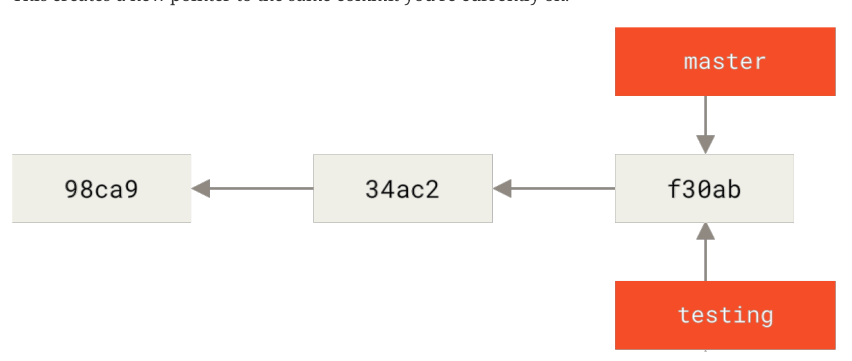
How does Git know what branch you’re currently on? It keeps a special pointer called HEAD.
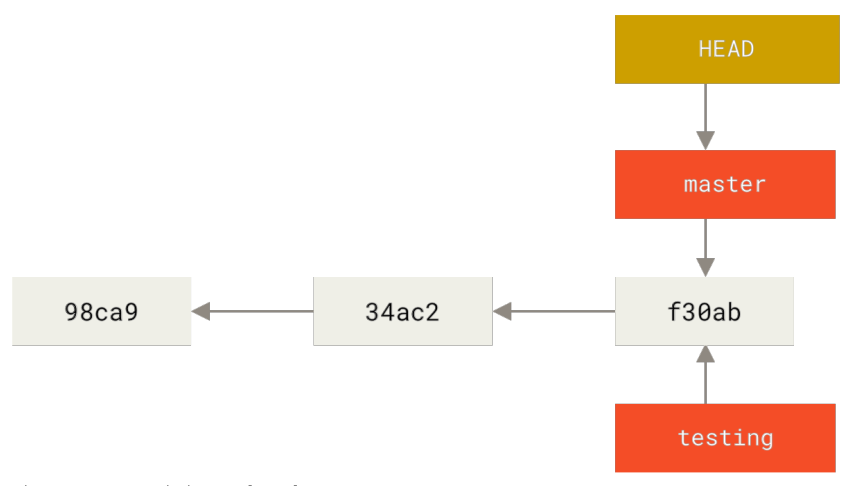
git checkout testing
git add testing.txt
git commit -m "Add testing"
git log --oneline
d264dea (HEAD -> testing) Initial commit
git checkout main
Now your project history has diverged (see Divergent history)
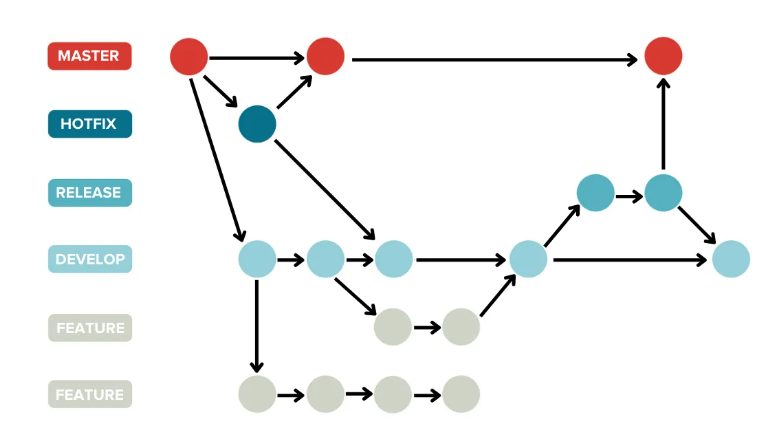
git log --oneline --graph --allExample: Hotfix branch
Basic Branching and Merging
Let’s go through a simple example of branching and merging with a workflow that you might use in
the real world. You’ll follow these steps:
-
Do some work on a website.
-
Create a branch for a new user story you’re working on.
-
Do some work in that branch.
At this stage, you’ll receive a call that another issue is critical and you need a hotfix. You’ll do the
following: -
Switch to your production branch.
-
Create a branch to add the hotfix.
-
After it’s tested, merge the hotfix branch, and push to production.
-
Switch back to your original user story and continue working.
NOTE: Don´t forget to merge into testing
Basic Merging
git-merge - Join two or more development histories together
git checkout main
git merge testing
A---B---C topic
/
D---E---F---G master
(merge)
A---B---C topic
/ \
D---E---F---G---H masterBranching Workflows
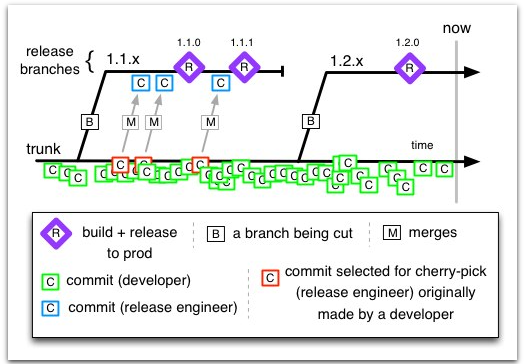
Git Branch-Based Development
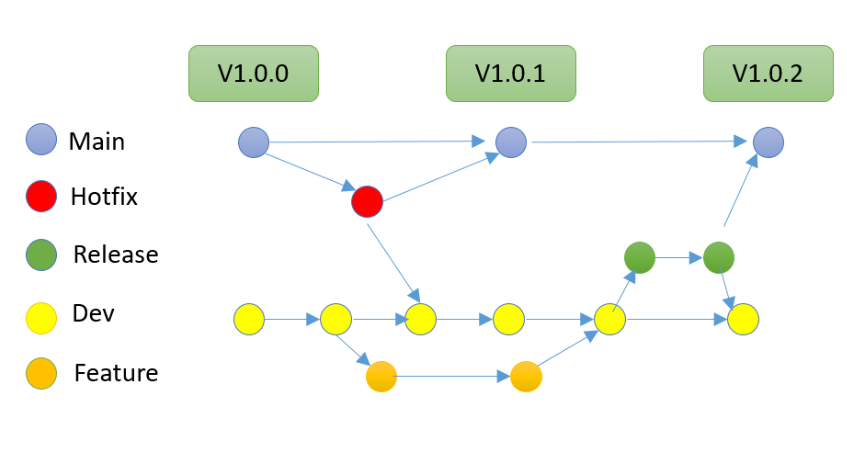
What is Trunk-Based Development
Basic rebase
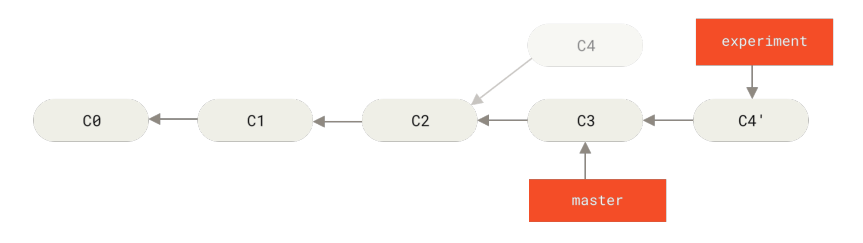
git-rebase - Reapply commits on top of another base tip
git checkout main
git rebase testing
A---B---C topic
/
D---E---F---G master
(rebase)
A'--B'--C' topic
/
D---E---F---G master
Detachable
git checkout <hex>
git switch -