Table of Contents
- What Is Ansible?
- Ansible flavours
- Installing ansible community edition
- Installing ansible via Red Hat repositories
- Installing ansible-navigator
- Introduction to inventory
- Introduction to configuration
- An Introduction to Playbooks
- Playbooks and Idempotency
- Getting help
- Ansible navigator
- Ansible facts
- Exercise: Install httpd server
What Is Ansible?
Ansible is an open source automation platform. It is a simple automation language that can
accurately describe an IT application infrastructure in Ansible Playbooks. It is also an automation
engine that runs Ansible Playbooks.
Ansible Is Agentless
Ansible is built around an agentless architecture. Typically, Ansible connects to the hosts it
manages by using OpenSSH or WinRM and runs tasks, often (but not always) by pushing out small
programs called Ansible modules to those hosts
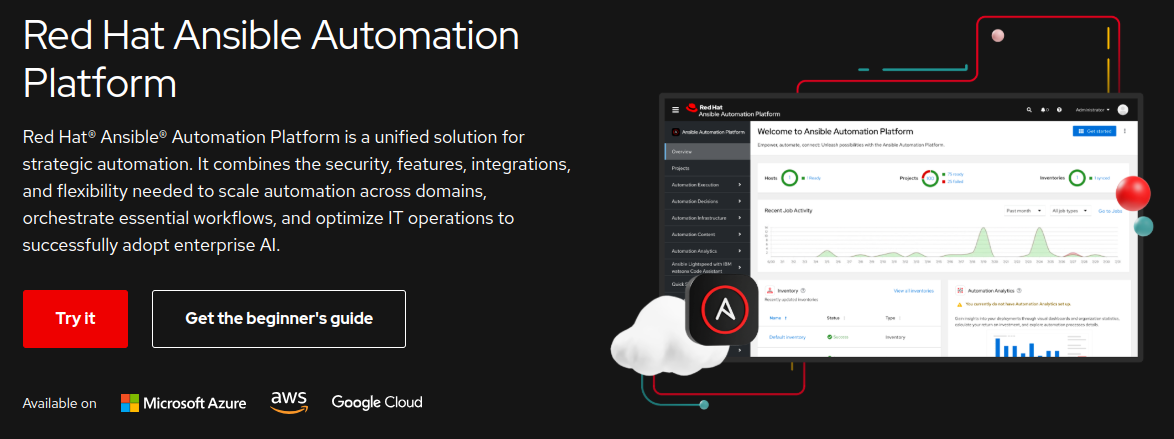
Ansible flavours
- As part of Red Hat Enterprise Linux, with limited support
- From the upstream community
- With the fully supported Red Hat Ansible Automation Platform product
Installing ansible community edition
From Python repositories
pip install ansible-core

$ ansible --version

ansible [core 2.15.13]
  config file = None
  configured module search path = ['/home/redhat/.ansible/plugins/modules', '/usr/share/ansible/plugins/modules']
  ansible python module location = /home/redhat/.local/lib/python3.9/site-packages/ansible
  ansible collection location = /home/redhat/.ansible/collections:/usr/share/ansible/collections
  executable location = /home/redhat/.local/bin/ansible
  python version = 3.9.16 (main, Jul  5 2024, 00:00:00) [GCC 11.4.1 20230605 (Red Hat 11.4.1-2)] (/usr/bin/python3)
  jinja version = 3.1.4
  libyaml = True
Installing ansible via Red Hat repositories
sudo dnf install ansible-core
ansible --version
Installing ansible-navigator
INFO
Must have a container runtime: docker, podman, containerd, …
$ docker --version
Docker version 25.0.14, build 0bab007

$ pip install ansible-navigator

$ ansible-navigator --version
ansible-navigator 24.2.0
Introduction to inventory
Create a directory
mkdir first_steps
cd first_steps/
Creating inventory file
hosts
ansible-cfreire-workstation

[webservers]
ansible-cfreire-node1

[dbservers]
ansible-cfreire-node2

[backups]
ansible-cfeire-node3

[nodes]
ansible-cfreire-node[1:3]

[production:children]
webservers
dbservers

[milan]
ansible-cfreire-node[1:2]

[porto]
ansible-cfreire-node3
Verify inventory is OK
$ ansible-inventory -i hosts --graph

@all:
  |--@ungrouped:
  |  |--ansible-cfreire-workstation
  |--@backups:
  |  |--ansible-cfreire-node3
  |--@nodes:
  |  |--ansible-cfreire-node1
  |  |--ansible-cfreire-node2
  |  |--ansible-cfreire-node3
  |--@production:
  |  |--@webservers:
  |  |  |--ansible-cfreire-node1
  |  |--@dbservers:
  |  |  |--ansible-cfreire-node2
  |--@milan:
  |  |--ansible-cfreire-node1
  |  |--ansible-cfreire-node2
  |--@porto:
  |  |--ansible-cfreire-node3

$ ansible-inventory -i hosts --list nodes
Test ansible connection to hosts
$ ansible -i hosts -m ping all

[WARNING]: Platform linux on host ansible-cfreire-node1 is using the discovered Python interpreter
at /usr/bin/python3.9, but future installation of another Python interpreter could change the
meaning of that path. See https://docs.ansible.com/ansible-
core/2.15/reference_appendices/interpreter_discovery.html for more information.
ansible-cfreire-node1 | SUCCESS => {
    "ansible_facts": {
        "discovered_interpreter_python": "/usr/bin/python3.9"
    },
    "changed": false,
    "ping": "pong"
}

# ERROR - console gets blocked
CTRL + C
Introduction to configuration
- local directory
ansible.cfg - local user home directory
~/.ansible.cfg /etc/ansible/ansible.cfg
Create a ansible.cfg file
[defaults]
inventory=hosts
interpreter_python=auto_silent
host_key_checking=false
remote_user=redhat
# no need to indicate hosts file
$ ansible -m ping workstation
rhel-cfreire1 | SUCCESS => {
"ansible_facts": {
"discovered_interpreter_python": "/usr/bin/python3.9"
},
"changed": false,
"ping": "pong"
}
Creating config from scratch
ansible-config init --disable > ansible.cfg

# find all important stuff
egrep '^[^#|;]' ansible.cfg
An Introduction to Playbooks
Ansible playbooks are just YAML files that use special terminology to inform Ansible
about what it should do
ping-test.yaml
---
- name: Simple playbook to test ping
  hosts: all
  gather_facts: no
  tasks:
  - name: ping server
    ansible.builtin.ping:
...
$ ansible-playbook ping-test.yaml
PLAY [Simple playbook to test ping] ******************************************************************************
TASK [ping server] ***********************************************************************************************
ok: [rhel-cfreire3]
ok: [rhel-cfreire2]
PLAY RECAP *******************************************************************************************************
rhel-cfreire2 : ok=1 changed=0 unreachable=0 failed=0 skipped=0 rescued=0 ignored=0
rhel-cfreire3 : ok=1 changed=0 unreachable=0 failed=0 skipped=0 rescued=0 ignored=0
Playbooks and Idempotency
Idempotent is a fancy word that means that you can do something multiple times and the outcome will be the same. In Ansible terms, a playbook is considered idempotent if you can run it multiple times and after the first run the machine is in a certain state, which doesn’t change if you run the same playbook again at any point in time after that.
---
- name: Install httpd server on cluster
  hosts: webservers
  become: true
  tasks:

  - name: Install http server
    ansible.builtin.dnf:
      name: httpd
      state: latest

  - name: Start service httpd, if not started
    ansible.builtin.service:
      name: httpd
      enabled: true
      state: started
Getting help
$ ansible-doc debug

This module prints statements during execution and can be useful for debugging
variables or expressions without necessarily halting the playbook. Useful for
debugging together with the 'when:' directive. This module is also supported for
Windows targets.

(...)
Ansible navigator
ansible-navigator run -m stdout ping.ymlAnsible facts
Running the setup module
ansible localhost -m setup

ansible localhost -m setup -a 'filter=distribution'

# for more help
ansible-doc setup
- name: Print IP addr of server
hosts: webservers
gather_facts: false
tasks:
- name: Wait for ssh connection ok
ansible.builtin.wait_for_connection:
timeout: 300
sleep: 2
- name: Gather facts explicit
ansible.builtin.setup:
filter:
- 'distribution'
- 'mounts'
register: facts
- name: Debug facts
ansible.builtin.debug:
var: facts
Exercise: Install httpd server
Using facts to install create conditionals
Fix the code on the following exercise
- name: Install http server
  hosts: webservers
  become: true

  vars:
    webserver: httpd
    user: root
    packages:
    - httpd
    - php-fpm

  tasks:
  - name: Show facts variable
    ansible.builtin.debug:
      var: ansible_facts.os_family

  - name: Stop if not redHat server
    ansible.builtin.fail:
    when: ansible_facts.os_family == 'RedHat'

  - name: Install the latest version of {{ packages }}
    ansible.builtin.dnf:
      name: "{{ item }}"
      state: latest
    loop: "{{ packages }}"


  - name: Start service {{ webserver }}, if not started
    ansible.builtin.service:
      name: "{{ webserver }}"
      state: started
      enabled: yes

  - name: Copy index.html to server
    ansible.builtin.copy:
      src: ~/first_steps/index.html
      dest: /var/www/html
      owner: "{{ user }}"
      group: "{{ user }}"
      mode: '0644'


- name: Verify web server is ok
  hosts: workstation
  gather_facts: no
  vars:
    server_url: http://ansible-cfreire-node1
  tasks:
  - name: Verify web server return code
    ansible.builtin.uri:
      url: "{{ server_url }}"
      status_code: 200